

When was the last time you responded to an email on the same day you opened it? I’m going out on a limb here, but I’m gonna guess… TODAY?!
Why? Because it’s your job? Because you’re a people-pleaser? Because you have OCD? Because you operate on “Inbox Zero” [calling myself out on this one…]?
Did you know… electronic mail [email] was created as an asynchronous communication method [two or more events are not happening at the same time]? Meaning, it was created to eliminate the need for parties to be present at the same time [e.g. phone call].
Why then, do we feel pressured to respond immediately — understanding it was invented so we wouldn’t have to? In reality, only 21 percent of people expect a response in four hours or less [Inc.].
Does that give you any reassurance to stop living in your Inbox?
Not quite, huh…
What if I told you — the average knowledge worker:
- spends 28% of their workweek on email [cloudHQ]
- receives 121 emails daily [cloudHQ]
- takes 25 minutes to get back “on task” from a notification ping [UC Berkeley]
Just imagine… you’re “in the zone” — your favorite playlist is on, your beverage is the perfect temp, your ideas are flowing like never before, and… PING… Your brain gets flooded with dopamine, your attention is disrupted, most likely causing the stress hormone cortisol to release, which then increases anxiety, and now your mental resources are depleted.
Now can you stop living in your inbox?
Not quite, again…
Fine… let me ask you this…
Could it be possible… that you set an email boundary, and the world doesn’t explode?
Uh huh…
Would it help if we created a starting point together?
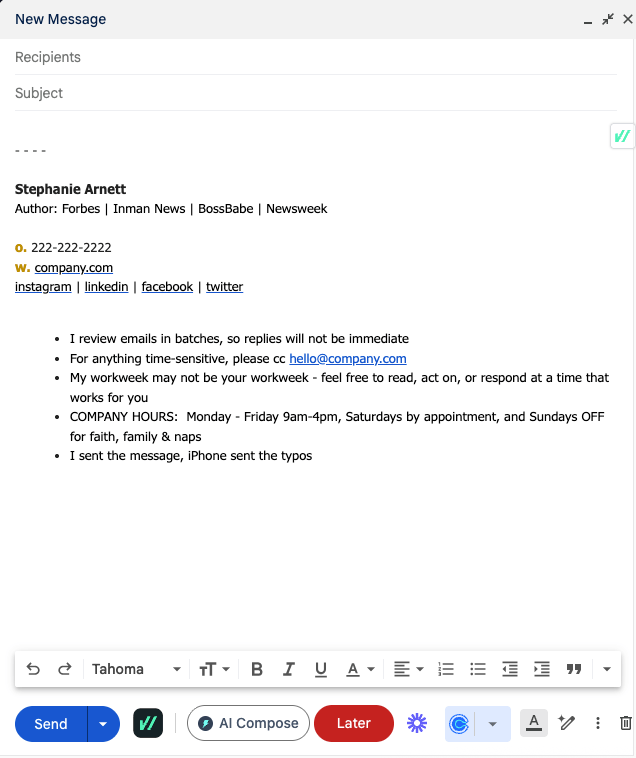
Step One: set your response time expectation
[e.g. I respond to emails at ____am and ____pm or I review emails in batches, and will reply within ____days]
Step Two: create your work hours boundary
[e.g. Office Hours: Mon — Fri, 9am to 4pm. Saturdays by appointment. Sundays closed.]
Step Three: provide an option for time-sensitive issues
[e.g. For urgent matters, please text ___-___-____ with ‘URGENT’ before your message or For time-sensitive matters, please call ___-___-____]
Step Four: offer FAQ links
[e.g. For order updates, click here. For support, click here. To schedule an appointment, click here.]
Before you make up your mind, how open-minded would you be to testing your new email signature for a week — just to see how much lighter your Inbox feels?
If you accept the challenge, remember to:
- create email signature with clear expectations
- test in your daily emails for one week
- feedback on how [if] people respond
- correct based on feedback
- retest the refined version
- comment below with your two cents
 You can't buy time, BUT...